
Home
- Network analogue
- trusted LAN
- Runtime
- always
- VPN
- Tailscale, private
- Lockdown
- no
- Play services
- none
- Unlock
- fingerprint + PIN
No Play services. Hard rule, not negotiable. Work lives inside Home as a managed profile.
andashi is a GrapheneOS phone declared in code. What the zones are, which app lives in which of them, what each one may reach, down to the home screen — all of it is files. You change a file, and the phone answers with what it actually applied, not with the hope that it worked.
Early, and breaking changes are the normal case. It runs against a phone that already has GrapheneOS on it — installing that is what wipes a device, not this.

Dashi is the stock a Japanese kitchen starts from: kombu, katsuobushi, water. You never taste it on its own, it is in everything, and it is the reason the rest works.
That is what a distribution is. The base everything else is cooked in, and when it is any good, nobody notices it — you notice the phone, not the six files underneath. The an is the Android part, and the mark is the sun those files put on every home screen.
The zones are not set up by hand and then described — they are described and then set up. Six files hold the phone: what a zone is, which apps live in it, what they may reach, how it looks. Every deterministic setting is a key in one of them.
config/profiles.jsonconfig/apps.jsonconfig/settings.jsonconfig/theming.jsonconfig/features.jsonconfig/launcher/*.json{
"key": "anon",
"label": "Anon",
"zone": "—",
"create": true,
"runtime": "stopped",
"vpn": "orbot",
"vpn_pkg": "org.torproject.android",
"vpn_lockdown": true,
"vpn_note": "Mandatory: without it, traffic leaves past Tor.",
"play": "none",
"unlock": "password only, no fingerprint",
}A zone in profiles.json. The lockdown flag is not a preference — for Anon it is the difference between Tor and a leak.
{
  "schemaVersion": 1,
  "icons": { "themed": true, "pack": "app.lawnchair.lawnicons" },
  "appearance": {
    "transparency": { "name": "fold-glass", "background": 0.31 },
    "wallpaper": { "image": "home.jpg", "target": "both" },
  },
  "home": {
    "searchBar": { "position": "bottom" },
    "dock": { "favorites": [{ "packageName": "org.thoughtcrime.securesms" }] },
    "widgets": { "enabled": true, "widgets": ["weather", "calendar"] },
    "clock": { "style": "digital1", "fillHeight": true },
  },
}
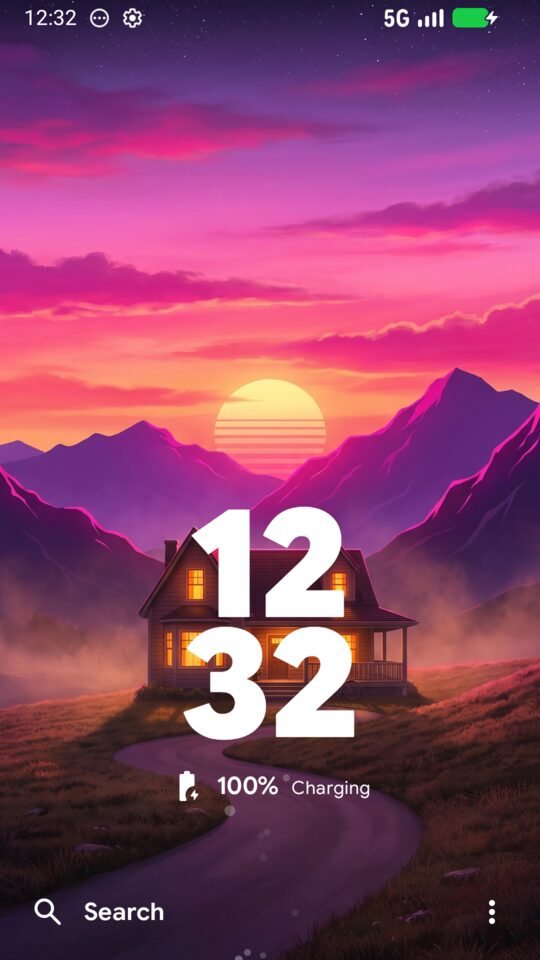
Its home screen, generated from the same sources and pushed per Android user. Comments and trailing commas are fine.
# push the config into the launcher of Android user N
adb shell content write --user N \
  --uri content://org.andashi.home.config-ingest/launcher.json < launcher.json

# ask it to reload, then read the effective state back out
adb shell content call --user N \
  --uri content://org.andashi.home.config-ingest --method reload
How it reaches the phone. Per Android user, without root.
Re-running is the normal case, not the emergency: every step checks before it writes, and pushing an unchanged file changes nothing. A zone can be changed long after it was created — its apps, permissions, settings, VPN, theme and home screen are all re-applied in place.
The phone is treated as a segmented network. The question when installing an app is never “do I want this app?” but “which zone is this app allowed to do damage in?”. Android allows exactly one VPN per profile, so the assignment is enforced by the platform rather than by discipline.
No Play services. Hard rule, not negotiable. Work lives inside Home as a managed profile.

Where an app may talk to whoever it likes, and nothing else can see it.

Lockdown is what keeps the IoT zone from bypassing its own filter.

Stopped means the keys are evicted: encrypted at rest, not merely in the background.

Wiped often. Real amnesia here is pm clear and a re-run, both scripted.

Lockdown is mandatory: without it, traffic leaves past Tor silently.
Work is not a zone of its own: it is a managed profile inside Home, with its own VPN and lockdown, and its apps show badged in Home's launcher.
A clock, the search bar, and whatever the dock and the widgets hold. Apps live in search, not on the desktop, so the home screen never fills up and never needs tidying. The wallpaper is how you know which zone you are in.


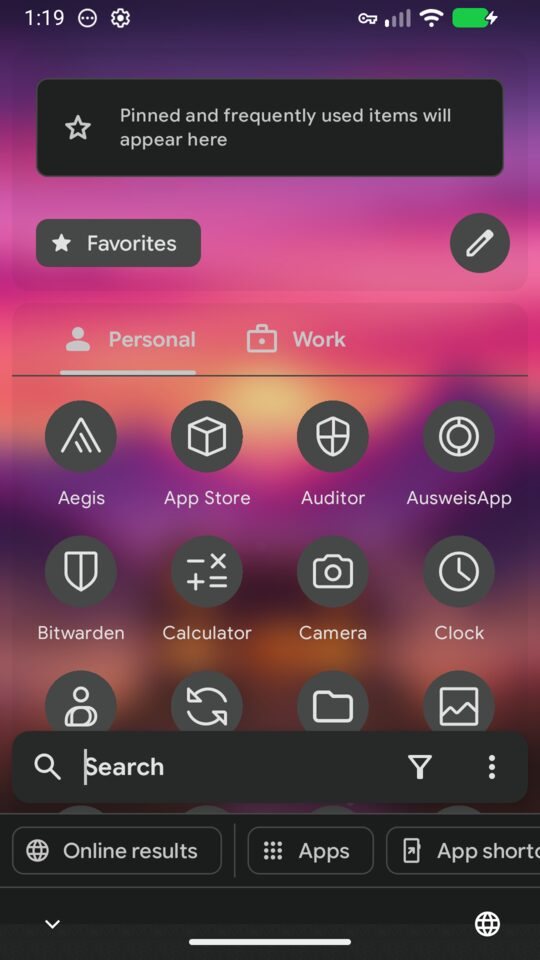
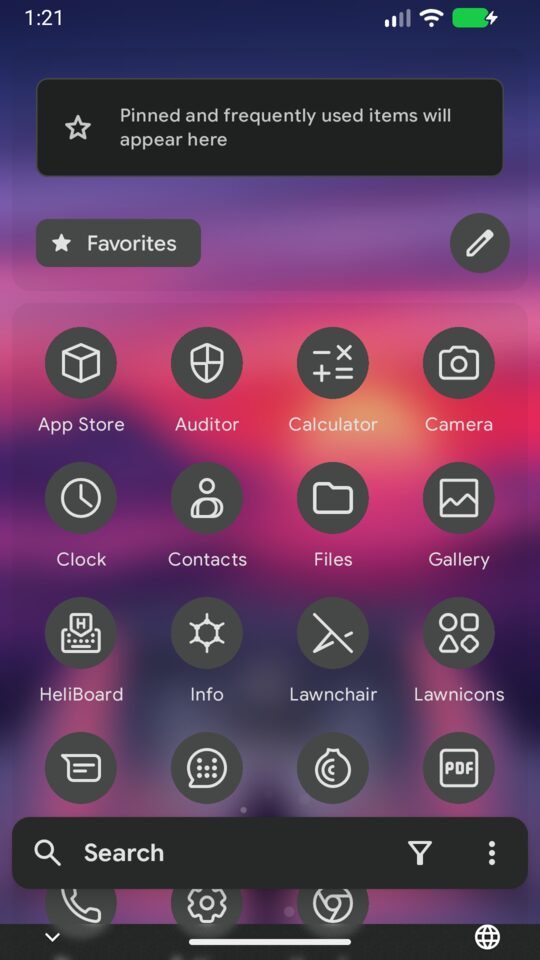
Which app exists in a zone is declared in apps.json, so
the drawer differs per zone. Home has a Work tab — the managed profile
inside it — and carries the identity and secrets apps. Anon has
neither, and no Play services anywhere near it.
Configuring Android as code usually means root, a privileged system app, or an accessibility service that can read the screen. All three open a hole in exactly the place GrapheneOS closes. So none of them is used.
Three shell commands per Android user. No root, no Magisk, no system app, no accessibility service, nothing left running on the device that could be talked into anything later.
The launcher takes its configuration through a content provider into its own files directory. It holds no system powers and needs no permissions to be configured — the config can only reach the launcher, never the platform.
Provisioning does not trust an exit code. It writes, triggers a reload, reads the effective state and the diagnostics of that reload back off the device, and fails when they disagree with the file.
A hardening project that only lists advantages is not credible. These are the limits, and they are not going to be buried in a FAQ.
A supported Pixel with GrapheneOS already installed and set up. That install is the step that unlocks the bootloader and clears the device.
Anything with adb and jq. No agent runs on the phone.
For all six zones. Running it again is the normal case, not the emergency.
No newsletter, no Discord. Watching the repositories is the way to follow this.